
Disclosure: This post contains affiliate links. If you purchase through these links, I may earn a commission at no extra cost to you.
After you’re familiar with how to install plugins on WordPress.com, the next question is obvious:
Which ones should you choose?
With thousands of plugins available, it’s easy to get overwhelmed by the vast selection. There’s no shortage of promising tools to enhance your website, speed it up, optimize its efficiency, and help it grow.
The good news is that most websites don’t need a bunch of plugins.
In fact, many of the most successful websites rely on only a select batch of well-chosen plugins that directly support what they’re building.
The goal isn’t to install everything.
It’s to be selective, and install the ones that have the most direct impact on your site.
In this guide, we’ll walk through the best WordPress.com plugins for beginners, and focus on what actually matters so you can build a well functioning, scalable and pleasing website without a complicated process.
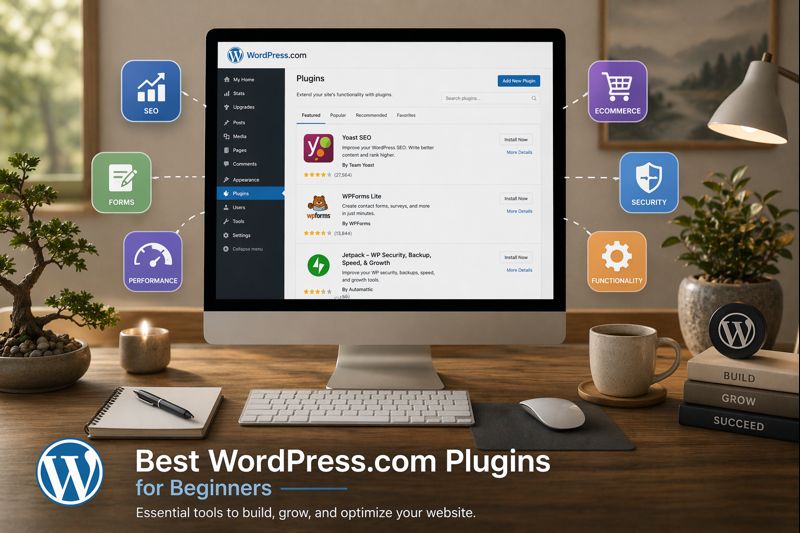
Quick Answer: The best WordPress.com plugins for beginners focus on four core areas: SEO, forms, performance, and ecommerce. Starting with a small, intentional set of plugins helps you build a faster, more effective website while keeping everything manageable.
Table of Contents:
How to Choose the Right Plugins
Before hopping into specific plugins, it helps to understand how to think about these tools in general.
A good plugin should:
- Address a clear problem or desire
- Be easy to make sense of and use
- Improve your site without hindering its performance
If a plugin doesn’t clearly support your website or your traffic, you probably don’t need it yet.
This is often where beginners get stuck.
It’s easy to browse through the vast plugin library and install things that seem useful. But over time and as your site develops, that approach can lead to a cluttered, slower and more difficult to manage website.
A better approach is to think in terms of impact and function.
What does your site truly need right now?
Start there.

Essential Plugin Categories to Start With
Instead of focusing on individual plugins right away, it’s easier to start thinking in categories.
These are the core categories most websites can utilize.
1. SEO Plugins
If you want your website to be found by search engines (Google, Bing, Yahoo, etc), SEO matters.
An SEO plugin helps guide how your content is structured. It can highlight missing elements, suggest improvements in written content, and help ensure your pages are readable for both visitors and search engines.
With an SEO plugin, you can:
- Set optimal page titles and descriptions
- Improve what your content looks like in search results
- Structure headings and content more effectively
- Monitor basic SEO optimization signals
You would typically prioritize this early if:
- You plan to publish written content regularly
- You want your site to appear in search engine results
- You have a goal of increasing long-term organic traffic
If your website is purely information with only a few pages, it may not feel urgent at first. However, if you want your website to grow over time, this is one of the most important plugins to put in place from the beginning.
An SEO plugin is one of those tools that will help your website quietly compound.
2. Forms Plugins
Forms are one of the most effective ways to transform your website from something passive into something interactive.
Without forms, your site is mostly one-directional. Visitors can read your content, but they might not have a clear way to respond, ask questions, and/or take the next step.
A form plugin allows you to:
- Create contact forms
- Collect leads or inquiries
- Build simple signup/subscription flows
- Allow users to interact with your website
You might prioritize this if:
- You want people to contact you
- You’re offering a service or goods
- You want to collect emails or other info
even a single form can make a huge difference.
It turns your website into something that can generate real opportunities.
3. Performance Plugins
Performance is often looked in the early stages, but it plays a big role in how your website is experienced by visitors (and even ranked by search engines).
A slow website doesn’t just feel frustrating. It can also impact how long visitors stay on your pages and engage with your content.
Performance plugins help improve:
- Page loading speed
- Image optimization
- Caching and background processes
You can typically think about this when:
- Your website starts to get increased traffic
- Pages feel slower than they used to
- You want to improve overall visitor experience
The goal isn’t to make your site technically perfect.
It’s more about ensuring it’s fast, smooth and efficient.
4. WooCommerce (If You Plan to Sell)
If you want to turn your website into a store, WooCommerce makes that possible.
WooCommerce allows you to:
- Sell products or services
- Handle payment processing
- Manage orders
- Build an entire ecommerce experience
And what makes it especially useful is that you don’t need to fully commit to it right away.
You can always install it, explore it, and expand with it gradually.
You might prioritize this if:
- You plan to sell products or services (now or later)
- You want your website to grow into a business
- You want flexibility without changing platforms
Instead of rebuilding your website somewhere else, you can simply build upon what you already have.
For more information on WooCommerce, check out our guide here.
Specific Plugin Examples to Consider
If you prefer to have a clearer starting point with real examples, here are a few commonly used types of plugins.
For SEO, tools like Yoast SEO help guide how your content is structured and optimized.
For forms, plugins like WPForms or other built-in form tools allow you to simply create contact forms without coding.
For performance, caching and speed optimization tools help improve overall load times and responsiveness.
And for ecommerce, WooCommerce provides a complete system for everything related to selling products, managing orders and processing payments.
The exact plugin you choose matters less than understanding what role it actually plays.
Once you understand that, putting your setup together becomes much easier.
What You Don’t Need Right Away
The most common mistake beginners can make is installing too many plugins in the early stages.
You don’t need:
- Complex integrations
- Multiple design focused plugins
- Advanced automation tools
This usually leads to:
- Slower overall performance
- Plugins and upgrade conflicts
- A more confusing dashboard
Start simple.
With plugins, it’s simple to expand later.
A Common Beginner Mistake
Many install plugins based on what appears to be useful in the moment.
They may add one for design, one for SEO, another for popups and another for performance. Then, their site is all of the sudden running 15-20 plugins without a clear structure.
this often leads to more problems than it solves.
A better approach is start out building intentionally.
Start with just a few essentials, learn how they work and grow from there.
A Simple Starter Setup (That Actually Works)
If you want a clear starting point, think in terms of functionality.
Start with:
- One SEO plugin for content publishing
- One forms plugin so visitors can contact you
- One performance plugin
- WooCommerce if you plan to sell
That is enough to:
- Increase traffic
- Capture leads
- Improve functionality
Without making your setup overly complex.

How Plugins Shape Your Website Over Time
This is one of the most overlooked advantages of building this way. Plugins aren’t just something you install once.
They shape how your website grows over time.
You might start with:
- Basic SEO
- An ordinary contact form
Then later add:
- Analytics tools
- Ecommerce capability
- Advanced design customization
Over time, this creates a different workflow.
Instead of rebuilding your website every time your demands change, you’re simply building upon what’s already there.
This leads to:
- More consistency
- Less time spent rebuilding
- A smoother path for growth
This is possibly the most overlooked advantages of building this way.
Connecting This to the Bigger Picture
If you’re wondering why plugin access matters so much, it’s because it changes what WordPress.com can actually support long-term.
If you haven’t seen it yet, I break that down here:
→ WordPress.com Plugins Now Available on All Plans (It Changes More Than You Think)
And if you’re still setting things up:
→ How to Install Plugins on WordPress.com (2026 Guide)
These guides cover both the reasoning behind the shift and how to actually get started.

Getting Started
If you’re still unsure where to begin, the simplest approach is to pick one category and start there.
You might begin with SEO, then add a form later once your site is getting traffic.
This step-by-step approach helps to keep things manageable and more efficient.
The goad shouldn’t be to build everything at once. It should be to build a foundation that works and improve it over time.
If you’re ready to starting building your website with plugin access included, tap here to explore WordPress.com’s plans and begin setting your site up.
Final Thoughts
The best WordPress.com plugins are not always the ones with the most features.
They’re the ones that directly support what you intend to build.
Keep it as simple as possible.
Stay intentional.
And let your website grow naturally from there.
You don’t need dozens of plugins or a perfect setup to get started.
Just a few right tools and a clear direction.
👉 Tap here to explore WordPress.com plans and start building your site today.
What are your thoughts?