
For a long time, WordPress.com was known for being easy to use but limited in flexibility. While it offered a clean interface, strong hosting infrastructure, and built-in security, users who wanted to install third-party plugins or custom themes had to upgrade to higher-tier plans or switch to WordPress.org entirely.
That limitation shaped years of platform comparisons and often pushed beginners toward more complex setups earlier than necessary.
As of this update, that tradeoff no longer exists.
WordPress.com now supports third-party plugins and themes on all paid plans, removing one of the biggest barriers that previously separated WordPress.com from self-hosted WordPress. This change fundamentally alters how the platform fits into the blogging, business, and creator ecosystem.
In this guide, we’ll break down exactly what changed, why it matters, how it affects comparisons with other platforms, and whether WordPress.com now makes sense for your site in 2026 and beyond.
Quick Answer: WordPress.com now allows third-party plugins and themes on all paid plans. This means users no longer need to upgrade to a Business plan to customize their site with SEO tools, performance plugins, ecommerce extensions, or custom themes, while still benefiting from managed hosting and built-in security.
Table of Contents:
- What Changed on WordPress.com
- Why This Update Matters
- WordPress.com vs WordPress.org (Updated Reality)
- How This Changes Comparisons With Other Blogging Platforms
- Feature Comparison Table (2026)
- Pricing and Upgrade Implications
- When WordPress.com Makes the Most Sense
- FAQ: WordPress.com Plugins and Themes
- Final Thoughts
What Changed on WordPress.com
Previously, plugin and theme installation on WordPress.com was restricted to higher-tier plans. This created a common pain point: users would start on a lower plan, build content, and then hit a wall when they wanted to add SEO tools, analytics plugins, or advanced functionality.
That wall has been removed.
All paid WordPress.com users can now install third-party plugins and themes directly from their dashboard. This includes popular tools for SEO, caching, security, ecommerce, forms, and design customization.
Importantly, WordPress.com remains a managed platform. You are not responsible for server configuration, PHP updates, security patches, or infrastructure maintenance. The platform simply removes the artificial limits that previously restricted customization.
This is not a move toward self-hosting. It is a move toward functional parity, without added technical responsibility.
If you’re evaluating WordPress.com as a long-term platform, it’s also worth understanding how security, backups, and site recovery work in practice. Managed WordPress environments handle many of these concerns automatically, which reduces risk for non-technical site owners.
Why This Update Matters
This change has implications far beyond convenience.
Lower friction for beginners
New users can now start small without worrying about future limitations. They can build, experiment, and grow without needing to migrate platforms later.
Better long-term SEO outcomes
SEO plugins and structured content tools are essential for ranking. Previously, many WordPress.com users delayed optimization or moved platforms. Now, SEO can be part of the site from day one.
Fewer forced upgrades
Users no longer need to upgrade early “just in case.” This improves trust and reduces churn, which also benefits content creators and affiliates.
Stronger ownership model
Unlike platforms that control distribution or monetization, WordPress.com still allows full ownership of content and site structure. Plugin access strengthens that ownership.
WordPress.com vs WordPress.org (Updated Reality)
For years, the difference between WordPress.com and WordPress.org has been misunderstood, even by experienced site owners. Much of the confusion came from outdated limitations that no longer apply, especially around plugins and customization.
At its core, the difference has never been about what WordPress can do. It has always been about who is responsible for running the website.
WordPress.org: Full Control, Full Responsibility
WordPress.org is the self-hosted version of WordPress. You download the software and install it on your own hosting provider. This gives you complete freedom to customize every aspect of your site, from plugins and themes to server-level configurations.
However, that freedom comes with responsibility.
With WordPress.org, you are responsible for:
- Choosing and managing a hosting provider
- Installing and renewing SSL certificates
- Performing backups and restoring them if something breaks
- Updating WordPress core, themes, and plugins
- Monitoring security vulnerabilities and malware
- Handling performance optimization and caching
- Troubleshooting server-level issues
For developers and advanced users, this level of control is valuable. But for beginners, bloggers, and small businesses, it often introduces complexity that slows progress or leads to misconfigurations.
WordPress.com: Managed WordPress With Growing Flexibility
WordPress.com, on the other hand, is a managed WordPress platform. The underlying software is still WordPress, but the infrastructure, security, updates, and performance are handled for you.
Historically, the tradeoff was customization. Plugin and theme support was limited, pushing many users toward WordPress.org once they wanted to grow.
That tradeoff has now changed.
With third-party plugins and themes available on all paid WordPress.com plans, users get:
- Plugin-based SEO, forms, ecommerce, and analytics
- Custom theme support
- Advanced site functionality without server management
- Automatic backups, updates, and security monitoring
- Built-in performance optimization
In other words, WordPress.com now offers most of the flexibility people switched to WordPress.org for, without requiring them to manage hosting or security.
The Real Difference in 2026
In 2026, the WordPress.com vs WordPress.org decision is no longer about “features unlocked by plan level.” It’s about how much technical responsibility you want to take on.
Choose WordPress.org if:
- You want full server access and control
- You are comfortable managing hosting, backups, and security
- You plan to run custom server configurations or advanced workflows
Choose WordPress.com if:
- You want to focus on content, SEO, and growth
- You prefer a managed environment with fewer failure points
- You still want plugin access and customization
- You don’t want to worry about updates, malware, or infrastructure
For many bloggers and business owners, WordPress.com now represents the best balance between power and simplicity.
A Practical Example
Imagine two bloggers starting sites today.
One chooses WordPress.org. They spend time comparing hosts, setting up SSL, configuring caching, and troubleshooting plugin conflicts.
The other chooses WordPress.com. They install SEO and analytics plugins, publish content, and focus on building traffic while the platform handles infrastructure.
Both end up using WordPress. The difference is how much time is spent managing the site versus growing it.
That difference compounds over time.
Why This Shift Matters
This update effectively removes the most common reason people were advised to “start on WordPress.com but plan to move later.”
There is no longer a forced migration path.
You can now:
- Start on WordPress.com
- Customize your site with plugins
- Optimize for SEO
- Monetize your content
- Scale without rebuilding everything
That continuity is valuable, especially for creators who want long-term stability.
How This Changes Comparisons With Other Blogging Platforms
This update also reshapes how WordPress.com compares to other popular platforms.
Medium
Medium emphasizes distribution but limits ownership. Customization, SEO control, and monetization flexibility are restricted. WordPress.com now offers similar ease of publishing with far greater control.
Blogger
Blogger remains simple but outdated. Plugin ecosystems, design flexibility, and long-term development are limited compared to WordPress.com.
Ghost
Ghost is powerful but requires more technical setup and hosting considerations. WordPress.com now offers comparable extensibility in a managed environment.
WordPress.com now occupies a rare middle ground: simple enough for beginners, flexible enough for growth.
Feature Comparison Table (2026)
| Platform | Plugin Support | Custom Themes | Hosting Managed | SEO Control | Content Ownership |
|---|---|---|---|---|---|
| WordPress.com (Paid) | Yes | Yes | Yes | High | Full |
| WordPress.org | Yes | Yes | No | Very High | Full |
| Medium | No | No | Yes | Limited | Partial |
| Blogger | Limited | Limited | Yes | Low | Full |
| Ghost | Yes | Yes | Partial | High | Full |
This table highlights why WordPress.com has become more competitive across a wider range of use cases.
Pricing and Upgrade Implications
One of the most meaningful outcomes of this change is psychological.
Users no longer feel pressured to overcommit early. You can start on a paid plan, validate your idea, and scale when it makes sense. Plugin access is no longer a gatekeeping feature.
This reduces:
- Early abandonment
- Platform switching
- Unnecessary plan upgrades
For anyone comparing blogging platforms, this makes WordPress.com a far more confident starting point.
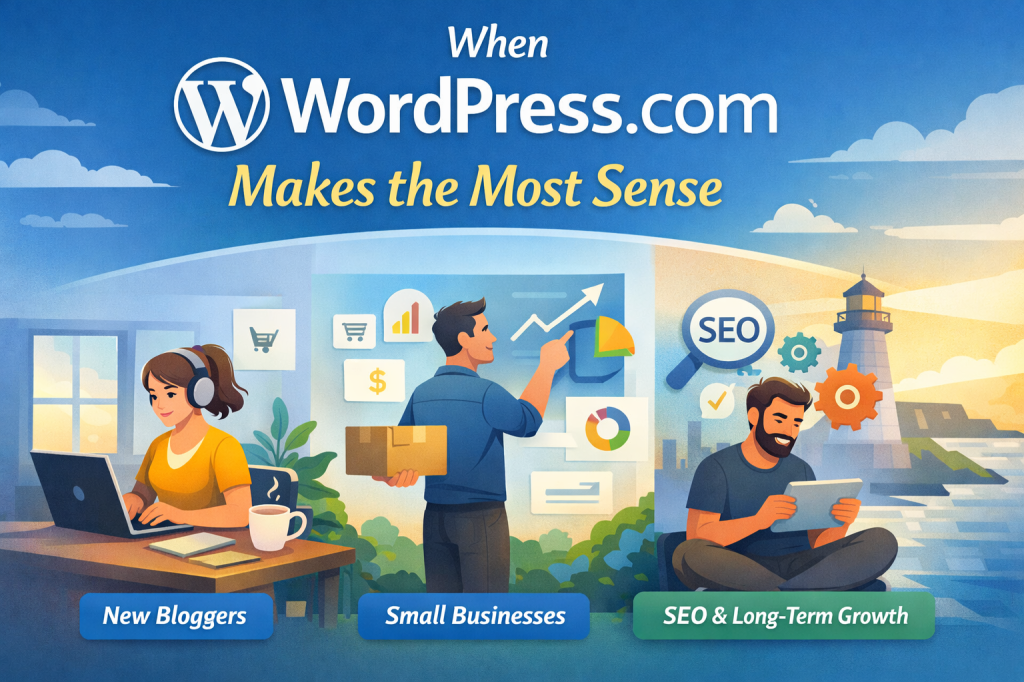
When WordPress.com Makes the Most Sense
Choosing the right blogging platform isn’t just about features. It’s about how much time, energy, and mental bandwidth you want to spend maintaining a website versus using it.
WordPress.com makes the most sense when your priority is creating content, building traffic, and growing a brand, without getting pulled into constant technical decisions.
Ideal for First-Time Bloggers
If you’re starting your first blog, WordPress.com removes many of the early roadblocks that cause people to quit.
You don’t need to:
- Choose a hosting provider
- Configure servers or caching
- Install SSL certificates
- Worry about updates breaking your site
- Learn security best practices immediately
Instead, you can focus on writing, publishing, and learning how blogging actually works. With plugins and themes now available on paid plans, beginners don’t hit an artificial ceiling once they’re ready to grow.
This makes WordPress.com one of the few platforms where you can start simple and scale naturally, without switching tools later.
Perfect for Creators Who Want Stability
Many bloggers and small business owners don’t want to become accidental system administrators. They want their site to be reliable, fast, and secure, without constant attention.
WordPress.com handles:
- Core updates automatically
- Daily backups
- Malware monitoring
- Performance optimization
- Infrastructure reliability
That stability matters more over time. A site that stays online, loads quickly, and avoids security issues builds trust with both visitors and search engines.
For anyone who values consistency over tinkering, WordPress.com removes an entire category of stress.
A Smart Choice for SEO-Focused Bloggers
Search engines reward sites that are fast, secure, and well-maintained. WordPress.com’s managed environment checks all three boxes.
With plugin access now available:
- You can use SEO plugins
- Add analytics and performance tools
- Optimize metadata and content structure
- Improve Core Web Vitals without manual tuning
This means bloggers who care about ranking no longer need to choose between convenience and control. WordPress.com now supports both.
Ideal for Long-Term Projects
One of the biggest advantages of WordPress.com is continuity.
You’re not building on a platform designed to lock content behind paywalls or limit ownership. You own your content, your domain, and your site structure. If your project grows, the platform grows with you.
There’s no pressure to “outgrow” WordPress.com anymore.
When It’s Not the Right Fit
To be fair, WordPress.com may not be ideal if:
- You need full server-level customization
- You’re running highly specialized infrastructure
- You want complete control over hosting environments
In those cases, WordPress.org still makes sense. But for the majority of bloggers, creators, and small businesses, WordPress.com now offers the best balance of ease and flexibility.
The Bottom Line
If your goal is to start a blog that you can grow without rebuilding later, WordPress.com is one of the strongest choices available today.
You get:
- WordPress power
- Plugin flexibility
- Managed security and performance
- A clean path from beginner to advanced use
👉 If you want to start blogging without technical overhead and still keep full creative control, tap here to explore WordPress.com plans and see which one fits your goals. You’re not locking yourself into a closed platform, you’re choosing a managed foundation with room to grow.
FAQ: WordPress.com Plugins and Themes
Can I install any plugin on WordPress.com now?
Most standard WordPress plugins are supported. Some server-level or highly specialized plugins may still be restricted for security reasons.
Do free WordPress.com plans support plugins?
No. Plugin and theme support applies to paid plans only.
Is WordPress.com now the same as WordPress.org?
No. WordPress.com remains fully managed. You gain flexibility, not hosting responsibility.
Does this improve SEO potential?
Yes. Plugin access allows proper SEO tools, schema control, caching, and performance optimization.
Will this affect site speed or security?
WordPress.com continues to manage infrastructure and security. Plugins are monitored within that environment.
Should existing WordPress.com users update old content?
Yes. Any articles mentioning plugin restrictions should be updated to reflect this change.
Is WordPress.com better than Medium for blogging now?
For long-term ownership, SEO, and monetization, WordPress.com is now a stronger option.
Final Thoughts
This update marks one of the most important shifts in WordPress.com’s evolution.
By removing plugin and theme restrictions on paid plans, WordPress.com eliminates its largest historical limitation while preserving its biggest strength: managed simplicity.
Users no longer need to choose between ease of use and long-term flexibility. They can build, customize, optimize, and grow on a platform that handles the technical foundation for them.
If WordPress.com was previously dismissed due to plugin limitations, that reasoning is now outdated. The platform has changed, and for many use cases, it has quietly become one of the most practical and scalable blogging solutions available today.
 AH Web Works
What do you think?