

Disclosure: This post contains affiliate links. If you purchase through these links, I may earn a commission at no extra cost to you.
Many who own websites are beginning to feel a building frustration with their sites. It’s not that things are completely broken, but traditional plugins and features are beginning to feel slower, harder to manage and/or more fragile than they once were. Updates are still feeling risky, broken plugins are adding up and small issues are turning into larger distractions.
The good news is that oftentimes in these cases, the problem isn’t the website itself, it’s the foundation it’s built upon.
In this guide, we will explore the understanding of when hosting improvements or a migration might make sense, and how this simple change can drastically (and simply) improve your website’s performance, stability and overall harmony.
If you are here because your website is starting to feel harder to manage than it used to, this article is intended to help you get a better idea of what to improve, when to take action and when it may be best to leave things alone.
Table of Contents:
- Why Hosting Matters More Than Most People Realize
- Signs Your Website Hosting May Be Holding You Back
- What Hosting Improvements Actually Mean in 2026
- When a Website Migration Makes Sense (and When It Doesn’t)
- Preparing Your Website Before Making Improvements or Migrating
- How Managed WordPress Hosting Simplifies Long-Term Maintenance
- Hosting, SEO, and Performance Going Into 2026
- Common Hosting Mistakes to Avoid
- Final Thoughts: Improving the Foundation Instead of Rebuilding
Why Hosting Matters More Than Most People Realize
Hosting is one of those things that most don’t really pay attention to until something goes seriously wrong. It is one of those things that runs smoothly in the background, and when it fails, it’s usually quiet, yet affects everything.
The hosting environment plays a large role in how fast your website loads, how stable (reliable) it is, how secure it is, and how often things fail during updates. Over time, small hosting issues can compound. This may look like lower website speed scores, slower or laggy editing, more failing plugins and uncertain backups.
It is common for website owners to assume these issues are “just part of running a website,” though in reality, much of the friction they are noticing is coming from outdated or unnecessarily complex hosting setups that no longer match how websites are performing in 2026.
Signs Your Website Hosting May Be Holding You Back
As mentioned earlier, it’s not always obvious when hosting is the source of the problem. There are usually small signs that show up first. And fortunately, if caught early, you can prevent the small issues from growing into larger and less manageable ones.
Here are some the small signs that may be showing up:
- Your website feels slower than it used to, even though there hasn’t been any major updates or changes
- Updates are always risky because something often breaks afterward
- Your site requires many different tools and services to stay secure and running
- The admin dashboard feels laggy or inconsistent
- Small issues continue to resurface instead of staying fully resolved
- Fixes take longer and are more complex than they should be for simple problems
- More time is spent maintaining your website than enhancing it
In my experience working with small business owners, these frustrations tend to build up slowly over time. Many website owners tolerate small issues longer than necessary because they assume switching or improving hosting will be disruptive or complicated.
What Hosting Improvements Actually Mean in 2026
Improving your website’s hosting does not always mean migrating your site immediately. In many cases, it just requires simplifying.
Modern hosting improvements are focusing less on adding new features and more on reducing moving parts (simplifying). Automatic updates, built-in backups, integrated site security and hosting setups designed specifically for WordPress all reduce the need for constant maintenance.
In 2026, “better hosting” often means fewer tools, less logins, and overall fewer things that require manual managing. The goal is stability, reliability and predictability, not constant optimization.
Sometimes simple and small improvements can make all the difference in how your website is running. Other times, deeper changes are required- understanding the difference is key.
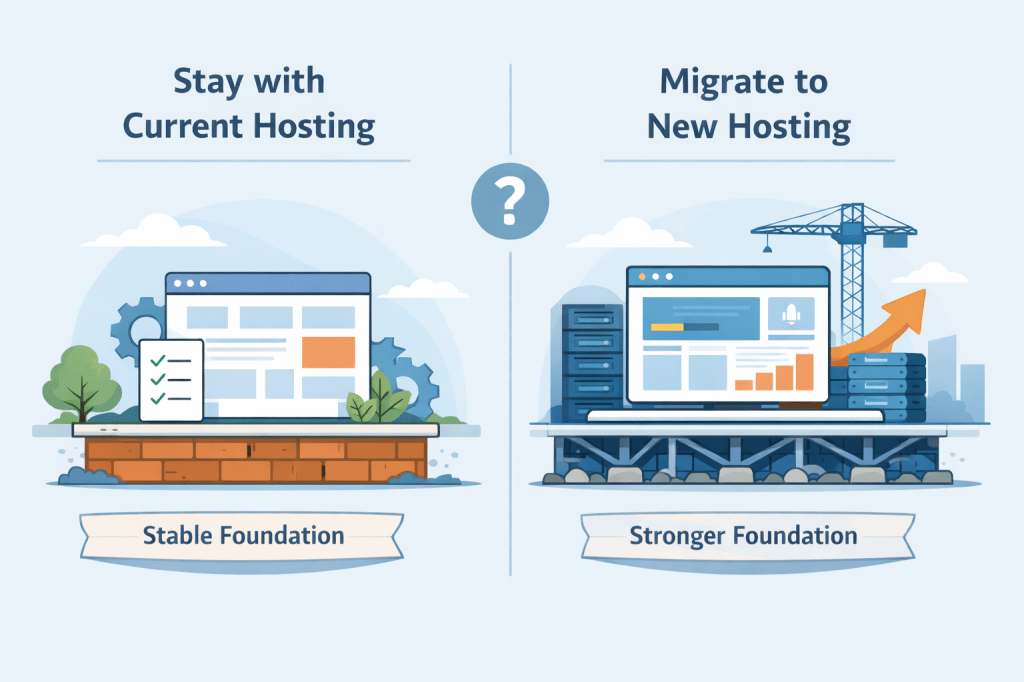
When a Website Migration Makes Sense (and When It Doesn’t)
Total hosting migration is not always the correct answer, and it doesn’t need to be rushed.
A hosting migration may make sense if hosting issues are recurring, maintenance consumes too much time, or your website is starting to feel fragile during updates. It can also be a wise move if you’re planning on growth and desire a more stable foundation before expanding.
On the other side, if your site is currently, stable, simple and meeting your present needs, there may be no need to move your site right now. Improving processes or cleaning up used/old features can sometimes solve more than a full migration would.
The most important factor in deciding on whether or not to migrate is clarity. Migration should solve existing problems, not introduce new ones.
Preparing Your Website Before Making Improvements or Migrating
If you do wish to proceed with a website hosting transition, it helps to slow down and get a clear idea on how your website is currently operating. Preparation is key when hosting, it can separate a smooth transition from a stressful one.
1. Review what your website is currently using
Begin by looking at your list of plugins, your current theme and features. Start by removing anything that is no longer being used or serving a clear purpose. Minimizing clutter makes it simpler to understand your site and lowers the chances of transition issues.
2. Identify what matters most right now
Take note of your most important pages, features, and workflows. This could include key landing pages, contact forms, checkout flows, or content that drives traffic. Knowing what must remain intact helps guide smarter improvements.
Take notes of your most important pages, features and workflows. This can include your key landing pages, contact form, checkout flows and/or blog articles. Understanding what must remain intact will help guide logical improvements.
3. Confirm your backups are in place
Make sure your website has a recent and reliable backup. This provides peace of mind and allows you to move forward without fear of losing content or functionality if something unexpected happens.
As you should always do before making any major changes, ensure that your website has a recent backup on file. This will not only provide you with peace of mind, it will allow you to move forward without fear incase something breaks or loses functionality. Always good to have recent backups!
4. List out your goals before making changes
Decide what you’re actually trying to improve. Whether it’s stability, performance, easier maintenance, or preparation for growth, having a clear goal prevents unnecessary adjustments and over complication.
Decide and list out the items that you are actually trying to improve. Whether it’s stability, easier maintenance, smoother updates, preparation for growth or better overall performance. Having clear goals (and documented current scores) of what you wish to improve will help with confirming success and knowing what to adjust.
5. Test your site from a visitor’s perspective
Before proceeding with a migration, browse your website as if you were a visitor (or customer). Browse through web pages, submit a contact form, purchase something through the checkout process and/or browse media. Take notes on what you notice and ensure you have them available when you complete your migration. This will help you document and measure the performance improvements or damages.
These preparation steps don’t need to be overly intensive or time consuming. Even a small amount of intentional review and note-taking can greatly reduce overall risk and help ensure that your improvements are successful.
How Managed WordPress Hosting Simplifies Long-Term Maintenance
One of the larger shifts in recent years has been the rise of managed WordPress hosting. Instead of managing updates, compatibility and security manually, these responsibilities are handled at the platform level.
Platforms like WordPress.com are designed with the intention to reduce technical overhead by combining, security, updates, backups and hosting in one place. By doing this, it allows website owners to focus on content, business and growth rather than being burdened by constant maintenance requirements.
Managed hosting tends to shine over time. It offers fewer surprises, effortless updates and a more stable (and predictable) experience that definitely makes a difference as a website ages.
Hosting, SEO, and Performance Going Into 2026
Search engine visibility and performance are closely tied to stability. Website that load consistently quick, stay online, and avoid frequent errors tend to rank better long term.
While hosting alone doesn’t guarantee better search engine ranking, unreliable hosting can quietly undermine SEO efforts. Downtime, slow responses, or security issues all affect how search engines and users experience a site.
In 2026, consistency in performance matters more than aggressive optimization. A stable hosting foundation supports sustainable growth far better than constant tweaks and additions.
Common Hosting Mistakes to Avoid
The majority of hosting problems don’t come from one bad decision, rather from a few recurring patterns that escalate over time. Having awareness of these potential pitfalls can save a ton of frustration and unnecessary work down the road.
- Staying on sub-par hosting out of habit
it’s fairly common for website owners to remain on a hosting setup because it’s what their site started with and it’s familiar. Over time, this can lead to unnecessary slowdowns, maintenance challenges and increasing complexity that subtly holds a site back. - Adding more tools instead of fixing the foundation
When issues arise, website owners often respond by stacking on optimization plugins, extra security tools, and/or third-party services that promise better speeds. While these can serve as band-aids, they often increase complexity instead of curing the root of the problem. - Migrating without proper preparation
Moving a website without cleaning up unused features, confirming a backup, or listing out goals can create more problems than necessary. Preparation makes migrations much smoother and less stressful. - Rebuilding the website when the issue is infrastructure
Redesigning or even completely rebuilding a website will not fix slow hosting, unreliable updates or shaky performance. In many cases, improving your website hosting environment will deliver the best results with the least effort. - Adding performance tweaks instead of stability
It can be tempting to keep adding on optimizations. However, long term stability and reliability typically have a greater impact than frequent additions and adjustments.
Avoiding these mistakes can help keep improvements focused, manageable, and effective. In the majority of cases, simplifying the foundation (hosting) leads to better results than adding more layers on top of it.
Final Thoughts: Improving the Foundation Instead of Rebuilding
As we progress into 2026, websites don’t need to be reinvented. They mostly need a stronger and simpler foundation.
Hosting improvements and careful migrations can quietly remove a large amount of friction, reduce maintenance and create a stronger foundation for future growth. These changes aren’t always visible, but their impact accumulates as time progresses.
By focusing on stability, simplicity and longer term usability, you can give your website the chance to support your dreams without becoming a constant burden of work. Sometimes the best improvement is the one that addresses everything from a foundational level.
If you do decide to explore managed WordPress hosting options, platforms such as WordPress.com make it possible to start small and improve your setup over time.
 AH Web Works
What do you think?