

This article will provide a comprehensive guide for small business owners who are looking to bring their business online with full control and maximum capability. If you desire to increase the power of your business and expand its reach to a vast and global audience, you are in the right place!
In this guide, we will cover how to set up your website correctly from day one, selecting a professional theme, creating essential pages, adding powerful business features, publishing helpful and strategic content, as well as keeping its maintenance simple and efficient. And the good news is, that this can all be done simply with WordPress.com.
If you are just starting your research into website development, it may feel overwhelming as there are so many options. However, in 2026, nearly anyone can design a professional and effective website by themselves. By the end of this article, you should feel far more comfortable in approaching this project and develop a comprehensive understanding of this can all be done with WordPress.com.
Why WordPress.com Works Well for Small Business Websites
The primary benefit of using WordPress.com for your website is that it is an all-in-one setup, so everything from hosting, themes, plugins and security are all included in one package. This is far more simple than having to manage multiple account just to keep your website running (hosting, plugins, security, and other features.). This will leave you with far less headaches and technical demands than you might face in going with other providers.
WordPress.com also carries the advantage of reliability and constant support from their friendly support team. This eliminates worst case scenarios such as a sudden website crash or other technical failures. In these cases, WordPress.com has built in security features that will allow you to easily restore your website back to optimal functionality. And in some plans (such as the Business Plan), you will even have access to 24/7 chat support from their friendly “Happiness Engineers.”
Whichever type of business you are running, it gives great peace of mind knowing that your website maintenance is simple and will continue taking care of itself as long as your website exists. This includes automatic updates, built in security, very stable hosting, and one simple account that can take care of all of this.
For a broader breakdown of hosting, builders, and what small businesses should prioritize in 2026, check out our overview of the best hosting and website builder options.
Choosing the Right WordPress.com Plan for Your Small Business
Depending on what you are looking for to serve your business, WordPress.com offers a variety of plan levels that can suit your current needs. Everything from a free level, to enterprise level, WordPress.com has what you need to suit your current budget and business needs.
Additionally, one of the most beautiful parts of WordPress.com’s plans is that they can grow with you. So if you decide to start with the Premium Plan and realize later that you need more capabilities, you can always upgrade to the next level whilst still saving your foundation. This makes it way simpler and more efficient to have your website grow with and alongside your business.
Free Plan: $0
Best for: Testing ideas, personal projects, very early-stage sites
Includes:
- WordPress.com subdomain
- Hosting, security, and updates included
- Basic themes and blocks
- Limited customization
Limitations:
- WordPress.com branding
- No custom domain
- Not ideal for professional small businesses
Personal Plan: ~$4/month
Best for: Simple informational sites and personal brands
Includes:
- Custom domain for one year
- Removal of WordPress.com ads
- Basic email and live chat support
- Hosting, security, and updates included
Limitations:
- Limited advanced customization
- Not designed for business tools or ecommerce
Premium Plan: ~$8/month
Best for: Service-based businesses and freelancers. This is the first level of having enough flexibility to build a very solid business page with basic features.
Includes:
- Custom domain
- Advanced design customization
- Premium themes
- Monetization tools and analytics
- Priority support
Notes:
Good balance for businesses that need a polished site without complex features.
Business Plan: ~$25/month
Best for: Growing small businesses
Includes:
- Full design and customization flexibility
- Ability to install plugins
- Advanced SEO and analytics tools
- Automated backups and security
- Priority support
Notes:
Often the best choice for small businesses that want room to grow.
Commerce Plan: ~$45/month
Best for: Online stores and businesses selling products or services
Includes:
- All Business plan features
- Ecommerce tools and payments
- Inventory and order management
- No additional transaction fees from WordPress.com
Notes:
Designed for businesses that actively sell online.
If you want a deeper comparison of website builders and hosting options for small businesses, you can also explore our guide on choosing the best website builder for small business.
Setting Up Your Small Business Website the Right Way From Day One
Step 1: Choose a clear, professional domain name
Picking a domain is the most foundational step of beginning your website creation journey. Your domain name will serve as the foundation for your entire business, so choosing a name is of utmost importance.
Your domain name should entail the gist of your business with as few words as possible. For example, if you have a store that is selling roses, you can name it something like JonesRoses.com. However, the trick is finding a domain name that is currently still available! So you may need to get creative.
Some tips for choosing a domain name:
+ Make sure your domain name is easily memorable, with as few syllables as possible
+ Your domain name should be relevant to your business
+ If you are struggling to get a start, use AI to help you spark some ideas
+ Your domain name doesn’t need to be bound to “.com.” Depending on your business, other domain name endings could be more appropriate, ie., .art, .gov., .org.
Step 2: Set your site title and tagline carefully
Selecting the title of your site is just as important as your domain name, however they do not need to be exactly the same. The title of your website can be a bit more comprehensive than the more limited domain name (it COULD match), however choosing a title gives you an oppurtunity to be even more specific and captivating for your audience.
Your website title should be able to instantly give the impression of what your business is all about. If you are opening a rose shop, where you are shipping out fresh roses, perhaps your title could be something like, “Jone’s Roses, Shipped Fast.” This will help your audience instantly understand what you are all about, and increase engagement.
Step 3: Configure basic site settings before publishing
Take time to review general settings such as language, timezone, and site visibility. These small details affect how your site functions and appears to visitors.
Before you reach the excting stage of clicking “Publish,” and letting your site go live on the web, you will need to ensure that all of your basic settings are set up correctly. These settings include things like your language, timezone, and site visibility.
At this stage, you can also start setting up your engagement settings such as Pingback allowance and comments enabled or disabled. You should have a good idea of how you want to allow viewers from around the planet to engage with your site.
Step 4: Create a simple, logical site structure
Plan your main navigation before adding content. Decide which pages will appear in the menu and keep the structure easy to understand.
When you begin crafting your website, it is wise to create some sort of map of how you want your website to be laid out. The most primary aspect of this is deciding which pages you want to be available on your website. The most common would be a Landing Page (home page), About Page, Image Gallery and a Contact Us Page. Your page structure will heavily be dependant on your business and the features you want to promote and share.
Step 5: Set up essential trust information
As mentioned above, after you create your About and Contact Us pages, you should use these to build trust. Be sure to share as much information about your business (and self if desired) to show your audience that you are trustworthy and legitamate. There is a variety of different advice that you can find online to build effecting About and Contact pages, though you are free to use your own discretion and creativity.
Another benefit of WordPress.com is that your site will be automatically secured, so your viewers will always see the trustworthy Lock Icom in the address bar of their web browser.
Step 6: Review your site on mobile and desktop
After launching your website, be sure to review it on both desktop and mobile devices! In 2026, the majority of web-browsers are using mobile devices such as phones and tablets. Thus, it is critical that both your desktop and mobile versions of your website are appearing well, and that all of the features are working appropriately.
Another huge benefit of WordPress.com is that most of the themes are mobile flexible. So after setting your website up via the desktop editor, the mobile version of your website will already be created and ready for review. However, it’s not always perfect, so you will need to review it yourself as well, just to ensure that everything is looking how you want it to.
Additionally, having a mobile optimized website will help you rank higher on search engines and will increase user engagement. Surprisingly, even in 2026, a large percentage of businesses do not even have mobile optimized websites!
Step 7: Avoid adding extra features too early
When you start with your website, do not worry about adding a whole bunch of fancy features in the beginning. Keep things simple!
WordPress.com offers seemingly endless modifications and customizations for your site, especially if you are using the Business Plan or higher. So avoid gettting overwhelmed and keep these as simple as you can, at least for the initial phases of your project. And later, if you do decide to add features, you can always check with WordPress.com’s Happiness engineers to assist you.
Choosing a Theme That Looks Professional and Builds Trust
WordPress.com’s Premium plan and further plans give you access to a beautiful library of themes for all sorts of businesses. This makes it very simple to get started with your website and begin with a highly professional and polished foundation.
Selecting a theme is a work of creativity, though it is also important to make sure that the theme you select will work with your business long term. WordPress.com makes it easy to search by having categories for different business types. Whether you are a photographer or a candy store, WordPress.com offers a plethora of themes that will work for you.
Choosing a theme does not need to be difficult and can be fun. Feel free to use your own discretion and creativity. If you are struggling to pick one out, maybe review a variety of existing website that you find attractive. This can be done with a quick Google search!
Creating the Core Pages Every Small Business Website Needs
A professional small business website does not need a bunch of pages to be effective. In most cases, the simpler the better! A small set of well structured core pages does far more work than a cluttered website with a bunch of needless information. Each of your website’s pages should serve a clear purpose and guide your visitors towards understanding your business and taking the next step.
Homepage (Landing Page)
The homepage is about clarity and direction. Visitors should quickly understand what your business does, who it is for, and what action they should take next. A strong homepage answers basic questions immediately and points people toward deeper information without overwhelming them.
Your Home Page is your business’s first impression that visitors will encounter. It should allow for visitors to quickly be able to get an understanding of what your small business is all about! Perhaps a quick sentence or two at the top that explains (or hooks) your audience, followed by quick access to your About Page and/or Call to Action.
A strong Home Page answers basic questions immediatley and points viewers towards deeper information without overwhelming them.
About Page
Your About Page is what will help increase your website’s trust score with viewers. This is where you will explain what your business is all about. You can share your story of how your business got started, who you are, who your team is, why you’re interested in the products you’re selling, the problem you wanted to solve, etc. Your About Page can be fun, and should help viewers resonate with you and your business.
Services or Offerings Page
Building a detailed Services or Offerings page is critical for your small business’s success. This is where viewers will be able to see what exactly you business is offering, whether it be a service or physical products. This page should be the main place your viewers can see exactly what they are getting when they spend their money with you!
It is important to be as detailed as possible here and leave no room for interpretation. Be clear and precise with your wording and ensure that viewers are able to understand everything they will be getting by engaging with you.
Contact Page
A contact page is perhaps the most fundamental function of a business website. And fortunately, WordPress.com makes it very simple to build a professional contact form into your website.
Your Contact Page should also share information such as your physical address (if desired), other forms of contact (phone, email) and/or a map of your location. Ultimately, it should make it very simple for your visitors to reach you.
Optional FAQ or Testimonials Page
As your business begins to grow, a FAQ page can help answer common questions and reduce unnecessary communication. Testimonials or reviews can also help add credibility by showing real-world experiences from past clients. These pages are helpful additions, but they do better after your core pages are already in place.
By focusing on the purpose of each page rather than trying to copy a template, you create a website that feels intentional, trustworthy, memorable and easy to navigate.
Adding Business Features Without Overcomplicating Your Website
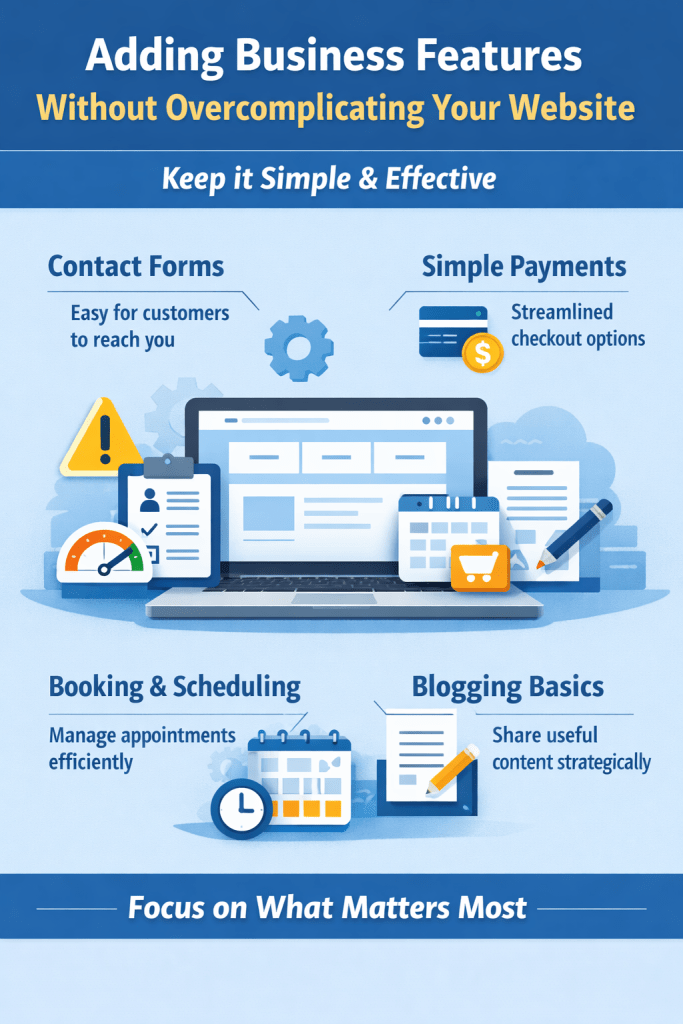
One of the most common mistakes small business owners make is adding too many features too early. While tools and functionality can be helpful, each additional feature increases complexity and maintenance. The goal is to add only what directly supports your business and your customers.
A common mistake of small business owners when building their first website is adding too many features too early. WordPress.com offers a huge variety of tools and features, though in the beginning, it’s more important to keep things as simple as possible. Each added feature can add increased complexity and migh require more maintenence.
So get your site cruising along first! Then you can start adding some fancy features later on down the road.
Contact Forms
WordPress.com makes it simple to create a Contact Form on your website. The simpler the better! You can include different fields you would like for your visitors to share, though engagement will increase the simpler it is.
A true sign of a trustworthy business is an easy to find and simple way of reaching out to the business. Whether this be for product questions, or follow-up on a service, a Contact Form should be simple and easy to use.
Scheduling or Booking Requests
If your small business is service based, WordPress.com offers a variety of scheduling features that you can utilize to make scheduling way more streamlined. Scheduling features can be build directly into your contact page, which will help take a burden off your shoulders when multiple clients are reaching out to you for appointments.
You will have the power to edit your calendar and make this process very efficient with just a few tools that can easily be installed on your website!
Payments or Simple Ecommerce
Some small businesses benefit from accepting payments directly on their website, whether for products, services, or deposits. If you sell online, keep the checkout experience simple and easy to understand. If you are starting an Ecommerce store WordPress.com makes it simple to accept payments and list items. This can all be done through WooCommerce.
Blogging and Content Publishing
Adding a blog section to your website is an under-utilized super power! Not only will a blog allow you to share more about yourself and your business, it is actually an extremeley effect way to promote your business online.
Blogging allows you to leverage SEO for particular keywords that will help draw in your specific audience into your site from the major search engines. Blogging on certain topics or problems centered around your business will attract potential clients from all over the world!
If you plan to sell products or services online you may also want to review our guide on the best ecommerce website builder options.
Maintaining and Growing Your Website Over Time
A small business website should grow gradually along with your business. The major advantage of using a managed platform like WordPress.com is that ongoing security requirements and updates are handled automatically. This used to require expensive developers and manual monitoring, though now it has become super simple. This allows you to focus on what truly matters, running your business!
As your business grows and expands, you can always upgrade your plan and add features when necessary. Rather than trying to anticipate every future requirement, you can add features as needed (or retract them) very simple. This creates a bigger degree of freedom and more peace in running your operations.
Additionally as you progress in your project, you can address new needs or add new features as they surface. Perhaps you are running a service based business and want to create a more streamlined registration/scheduling process because you being overrun.
Common Small Business Website Mistakes to Avoid
Many small business websites struggle not because of bad intentions, but because of a few common and avoidable mistakes. Recognizing these issues early can save time, money, and frustration.
Many small business website struggle due to a few common a avoidable mistakes. Being aware of these issues early can save you time, money and frustrations.
Overloading the Website With Features
Over complicating the design process is common as many don’t realize that for websites, the simpler the better! Most browsers are only there for a few seconds at a time, so it’s important that they do not feel overwhelmed. It can be tempting to add a ton of features at first, but keep it simple! This will provide a better foundation and serve you and your business better in the long run.
Ignoring the Mobile Experience
It’s easy to forget that your website has two main forms! One desktop version and one mobile version. Fortunately, WordPress.com’s themes make this super simple to take care of as the mobile version of your site will automatically be created as you design your desktop version. However, it is still important to review both versions of your website to ensure that they are both functioning well. This is because around half of your website’s viewers will be on mobile devices, especially now here in 2026!
Chasing Design Trends Instead of Clarity
It’s easy to get caught up in comparing ourselves and our website to others, so it’s important not to get caught up in trends and fads. The most important piece of advice for creating your website is leaning heavily on clarity and simplicity. Clarity and simplicity trump overly fancy designs and features any day!
Final Thoughts: Building a Website That Grows With Your Business
A small business website does not need to be perfect to be of use. What matters most is that it clearly illustrates your business, supports your mission and stays manageable over time. Starting with a simple, efficient and well-structured foundation will make it easier to grow over time without unnecessary complexity.
By focusing on clarity, usefulness, and sustainability over time, your website will be able to evolve alongside you and your business. It will serve as a pillar and online face of what your business is all about. Not only that, but having an effective website will ultimately increase the power and effectiveness of your business, whether it be locally based or global.
Your website is a long-term asset, not a one time project. When you allow it to grow in stride with your business, it will continue to support your goals and dreams.
If you’re ready to try WordPress.com, here’s how to begin with the plan that fits your needs.
 AH Web Works
What do you think?